
QR code digital menus
Create your digital menu with a QR code in minutes.
Add your dishes, update your prices in real time and give your guests a modern experience without printing a thing.
- Free forever
- No credit card
- Nothing to install
Edit here · see it there, instantly
Trusted by more than 1,200 restaurants, cafés and bars in 9 countries.
- 1,200 businesses keeping their menu up to date
- 15 min to get your menu live
- 0 apps your guests need to download
- 9 Spanish-speaking countries
How it works
Your menu online in three steps
No designer, no print shop, nothing to install. If you can use WhatsApp, you can use this.
- 01
Sign up and add your brand
Upload your logo, pick your colors and add your business name. Your menu looks like yours from minute one.
- 02
Add your dishes and prices
Create categories, add photos and descriptions, flag what’s vegan or spicy. Copy and paste straight from your current menu.
- 03
Download your QR code and you’re live
Print the code for your tables or share the link on WhatsApp and Instagram. The QR never changes, even when your menu does.
Why switch
The headaches your business leaves behind
It’s not about looking modern. It’s about no longer losing money on reprints, and no longer explaining the same thing ten times a day.
-
Update prices instantly
Avocados went up on Monday. You change the price from your phone and it’s already fixed at the table. No correction fluid, no stickers slapped on top.
-
Cut your printing costs
The average restaurant reprints its menu three or four times a year. With a digital menu you print the QR code once and you’re done.
-
Designed for phones
No more PDFs you have to pinch and zoom. Big text, clear photos and prices you can read at a glance.
-
Mark items sold out in one tap
The catch of the day is gone: hide it or mark it sold out, and stop disappointing guests who had already made up their minds.
-
Share your menu in seconds
One link for WhatsApp, your Instagram bio and Google. Your menu stops hiding in a blurry photo.
-
Take orders on WhatsApp
Guests build their order in your menu and tap “Send order via WhatsApp”. It lands on your number with every item and the total already added up. Zero commission.
-
See what gets the most views
Find out which dishes your guests open most and which hours bring the most visits. Shape your menu with data, not hunches.
PDF menus have had their day
Your menu shouldn’t make your guests work
A scanned PDF makes people pinch and zoom, takes ages to open and looks different on every phone. A menu built for mobile reads top to bottom and loads in a second.
- With a PDF Several megabytes, constant zooming, and every price change means another print run.
- With Menu con Precios Loads instantly, fits any screen and new prices show up on their own.
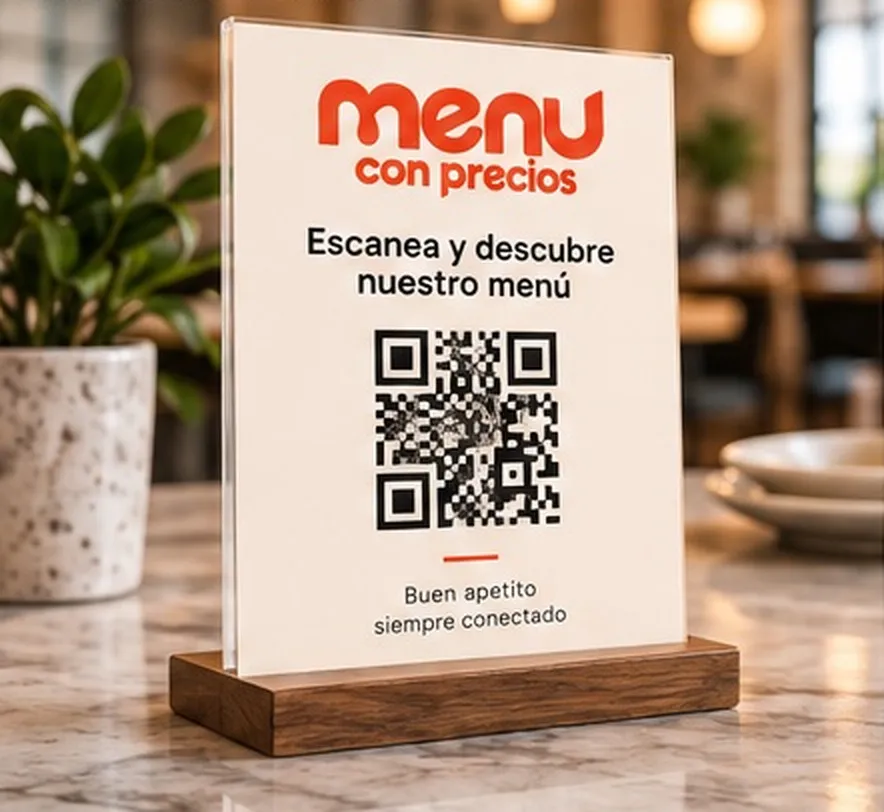
Real examples
Pick a style and make it your own
Every template is a working menu. Open them on your phone and browse the way your guests would.
What owners say
Businesses that never reprint again
-
“I updated my prices on a Tuesday at 11 a.m. and by 11:01 they were on every table. That used to take two days and a trip to the print shop.”
Marisol Ibarra
Owner, Taquería La Esquina
-
“I change the coffee of the day every morning from my phone. Guests scan, see where it comes from and stop asking the same question ten times.”

Café Manantial
Specialty coffee shop
-
“We put the QR on every table on a Thursday. By the weekend we knew which dish got the most views, so we moved it to the top of the menu.”

Restaurante Almendro
Seasonal kitchen
Questions answered
Digital menu FAQ
What restaurant owners ask us most before they get started.
What is a QR code digital menu?
It’s your menu hosted on its own web page. You print a QR code and place it on the table, at the counter or by the door. Guests point their phone camera at it, the menu opens on its own and they see your dishes with up-to-date prices. Nothing to download.
Do my guests need to download an app?
No. Android and iPhone cameras have read QR codes for years. The menu opens in the phone’s built-in browser, just like any other website.
How long does it take to get my menu ready?
Most businesses publish their menu in under 15 minutes. Pick a template, copy in your dishes and prices, and download your QR code. If your menu is very long, allow half an hour the first time.
Will it work if I’m not good with technology?
Yes. If you can send a photo on WhatsApp, you can use this. The editor is a simple list: type the dish name, the price and, if you like, a description and a photo. That’s it.
Can I use my own logo and colors?
Yes. On the Pro plan you upload your logo, choose your colors and fonts, and remove the Menu con Precios branding. Your menu looks like your business, not like our platform.
How much does it cost?
There’s a free-forever plan with one menu and up to 30 dishes. The Pro plan costs $199 MXN a month with unlimited dishes and full branding. See all the details on our pricing page.
Your menu, always up to date.
Build your digital menu for free, download your QR code and share it today. No card, nothing to install.
Free plan forever · Ready in under 15 minutes